Guides
Sign shop equipment checklist from the ground up
A sign shop equipment checklist names the printer, plotter, laminator, welder and software each job needs, and the power and space each one takes.
What to take away
A sign shop equipment checklist only works if it names the machines, the power they draw, and the software that ties them together.
- Match the machine to the work you already sell. A 54-inch printer covers most vehicle door graphics and banners. A 64-inch machine covers full wraps and 5-foot media.
- Every machine carries a hidden costdedicated circuits, floor space, ventilation, and a trained operator.
- Name who may run each machine, and put the training record somewhere you can find it.
- Buy a laminator before a second printer. Unlaminated prints fail in service, and the rework costs more than the machine.
- OSHA's printing-industry pages cover lithography, flexography, gravure, and screen printing, which is where solvent inks, wash-up, and press guarding sit.
- Buy the software before the second machine. A RIP and a cut workflow decide whether the Graphtec plotter and the printer agree. Onyx Thrive will not fix a bad cut path.
Start with what you can already sell
The checklist starts with accepted work, not with a catalog. Sell banners and coroplast yard signs, and the list runs to a printer, a laminator, and a cutter. Sell channel letters, and it runs to a welder, a letter bender, and a paint or finish area.
Match equipment to accepted work
What work do you already sell?
Banners and coroplast -> printer, laminator, cutter
Channel letters -> welder, letter bender, finish area
Write down the last twenty jobs you quoted. Sort them by material and by width. The widest material you actually buy sets the printer size you actually need. A shop that stocks 54-inch vinyl does not need a 64-inch machine on day one.
The machines, by name
| Machine | What it does | What it needs |
|---|---|---|
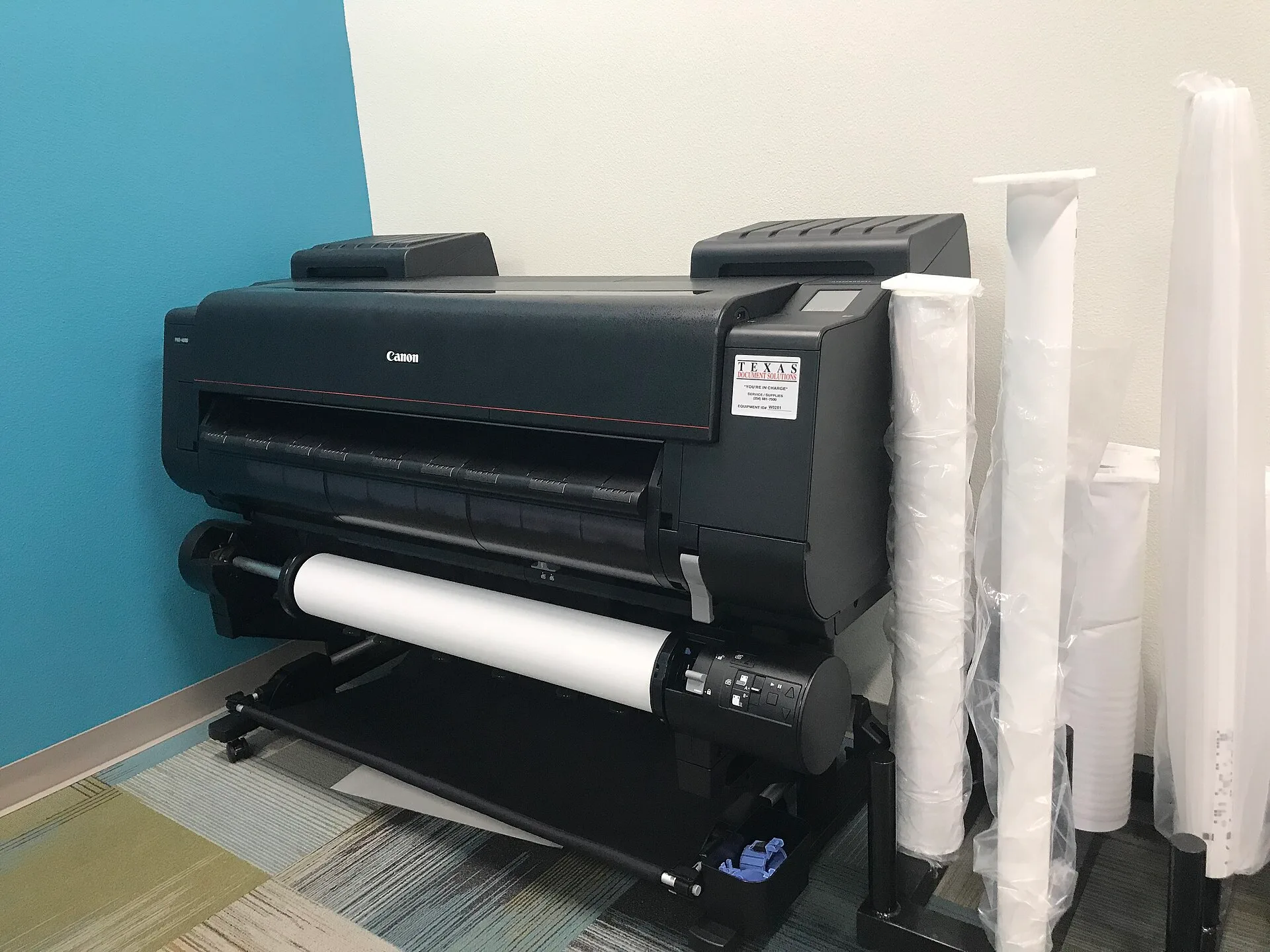
| Solvent or latex wide-format printer (HP Latex 700 W, Epson SureColor S80600) | Prints vinyl, banner, and rigid media to 64 inches | 220V circuit, ventilation, daily head care; roughly 100 to 150 sq ft with media handling; typically $18,000 to $28,000 |
| Eco-solvent printer (Roland TrueVIS VG3-540, Mimaki JV300) | Prints vinyl and banner with lower odor | Ventilation, media handling space; roughly 80 to 120 sq ft; typically $12,000 to $25,000 |
| Thermal transfer printer (Zebra ZT411, Brady BBP33) | Prints small labels and decals | Clean, flat feed path; about 20 sq ft on a bench; typically $1,000 to $2,500 |
| Vinyl cutter plotter (Graphtec CE7000, Summa S Class 2) | Contour cuts printed graphics and cut vinyl | RIP software, blade and mat stock; roughly 40 to 60 sq ft with feed and take-off; typically $2,500 to $6,000 |
| Flatbed cutter (Colex Sharpcut, Esko Kongsberg X) | Cuts rigid substrate, foam board, and acrylic | Table space, dust extraction; roughly 200 to 400 sq ft; typically $50,000 and up |
| Cold laminator (Royal Sovereign RSC-1650, Drytac JetMounter JM63) | Applies laminate and mounting adhesive | Two operators for wide rolls; roughly 60 to 100 sq ft; typically $4,000 to $12,000 |
| Heat press (Stahls Hotronix Fusion IQ, Geo Knight DK20S) | Applies heat-transfer vinyl and patches | Dedicated circuit, heat-resistant surface; about 30 sq ft; typically $1,200 to $3,500 |
| MIG welder (Miller Millermatic 211, Lincoln Power MIG 210 MP) | Joins aluminum and steel frames for channel letters | Fume extraction, fire watch, PPE; roughly 100 sq ft with a fire-safe perimeter; typically $1,200 to $2,000 |
| Letter bender (Computerized Cutters Accu-Bend, ABC Sign Products manual bender) | Forms channel letter returns and trim | Bench space, bending jigs; roughly 50 to 80 sq ft; typically $1,500 to $25,000 |
| CNC router (ShopBot PRSalpha, Multicam 3000) | Cuts acrylic, aluminum composite, and wood | Dust collection, hold-down, spoilboard; roughly 200 to 400 sq ft; typically $15,000 to $60,000 |
| LED module and power supply kit (Principal LED, SloanLED, Mean Well drivers) | Illuminates channel letters and cabinets | Listed power supply sized to the run; about 10 sq ft of bench storage; modules typically $0.50 to $1.50 each, drivers $30 to $150 |
| Spray booth or finish area (Global Finishing Solutions crossdraft, Col-Met) | Paints and clears fabricated letters | Ventilation, filters, fire separation; roughly 200 to 400 sq ft; typically $8,000 to $30,000 |
Model names and price ranges move with dealer programs and ink bundles. Confirm both with the distributor before you order. The prices above are typical ranges, not quotes.
A basic print and cut shop typically spends $30,000 to $60,000 before rent, electrical work, and permits. That covers a 54-inch printer, a laminator, a plotter, and the software. A full fabrication shop with a flatbed cutter, a CNC router, a welder, and a spray booth typically runs $100,000 to $250,000.
One row per machine: good, weak, verdict
Write one row per machine before you buy it.
Good
- Printer (54 or 64 inch)
- Sets your panel width and ink cost
- Vinyl cutter
- Cuts printed contours and cut vinyl all day
- CNC router
- Cuts acrylic, aluminum composite, and PVC sheet
- Welder (MIG or TIG)
- Joins aluminum frames for channel letters
- Cold laminator
- Applies laminate and mounting adhesive
- Spray booth or finish area
- Paints and clears fabricated letters
Weak
- Printer (54 or 64 inch)
- White ink channels clog when it sits
- Vinyl cutter
- Pinch rollers lose grip over time
- CNC router
- Needs 220 volts, dust collection, and 200 to 400 square feet
- Welder (MIG or TIG)
- Needs a trained operator and a dedicated circuit
- Cold laminator
- Wide rolls take two operators
- Spray booth or finish area
- Needs ventilation, filters, and fire separation
Verdict
- Printer (54 or 64 inch)
- 54 inch for decals, 64 inch for wraps
- Vinyl cutter
- Buy it first, replace it last
- CNC router
- Only if you cut substrate weekly
- Welder (MIG or TIG)
- In-house only past steady letter volume
- Cold laminator
- Buy before a second printer
- Spray booth or finish area
- Add it when you fabricate
Software and the cut path
A RIP (raster image processor) turns your design file into printer data and sets ink limits. Onyx Thrive, CalderaRIP, and SAi Flexi are the common packages. Expect a license in the $1,500 to $5,000 range per printer, often sold as a subscription.
Design to cut path
- Design file in Illustrator or CorelDRAW
- RIP sets ink limits and printer data
- Plotter cut path matches the print
- Mismatch ruins every contour decal
The plotter needs a cut path that matches the print. Graphtec Studio and Summa GoSign generate one, and Flexi ships a cutter driver. If the print and cut paths disagree, every contour decal comes back.
Design software, a RIP, and a cutter plug-in are three separate purchases. Adobe Illustrator lists at about $23 a month, and CorelDRAW or a Flexi seat costs more. Budget them as one line, because a plotter without a working cut path is a table.
Power, space, and ventilation
A 64-inch latex printer such as the HP Latex 700 W wants a dedicated 220V circuit and roughly 20 feet of wall. That wall plus media handling is typically 100 to 150 square feet. A Miller Millermatic 211 welder wants a 240V, 30-amp circuit. It also wants about 100 square feet with a fire-safe perimeter.
A CNC router needs dust collection and a spoilboard you will replace. Plan 200 to 400 square feet of floor for it.
Power and space demands
- 220Vdedicated circuit for 64-inch latex printer
- 20 feetwall space for 64-inch latex printer
- 240V, 30-ampcircuit for Miller Millermatic 211 welder
Ventilation is not optional where solvent ink, welding fume, or spray finish is present. OSHA's printing industry pages organize the hazards by process, including screen printing and press work. The welding standard is 29 CFR 1910.252. Spray finishing sits in 29 CFR 1910.107, and flammable liquid storage sits in 29 CFR 1910.106.
Before you sign a lease, have a licensed electrician confirm the panel can carry the load. Do not wire it yourself.
Consumables and reorder points
Several supplies can run out mid-job:
Consumables reorder points
- Vinyl rollsOracal 651, 3M IJ180
- Transfer tapeTransferRite, R Tape
- LaminateOracal 210, Arlon 3220
- Acrylic sheetsPlaskolite, Spartech
- LED modules and power supplies
- Set reorder pointlead time plus buffer
Set a reorder point per item: the quantity you use between order and delivery, plus a buffer. For 13-ounce scrim vinyl from a regional distributor, two days of lead time and one spare roll usually covers a banner rush.
Concrete examples. A shop that prints 20 banners a week uses about 480 square feet of media, so two days of lead time needs roughly 140 square feet on the shelf plus a spare roll. A twenty-banner job at 12 grommets each is 240 grommets, so the reorder point is 240 plus a buffer.
Ink reorders trigger at one full set, not one cartridge, because a partial set stops a job. Blade life depends on your media, so track your own average over a month and set the point at that usage across the lead time.
Count the shelf monthly. Shrinkage in vinyl and acrylic shows up as a job you cannot start.
Permits, credentials, and who signs off
A storefront sign may need a permit under local zoning, and the landlord's sign criteria may be stricter than the code. Ask the municipal building or planning department, and ask the landlord in writing.
Installers working at height or on electrical connections fall under OSHA 1926 and state contractor board rules. Verify credentials before the crew arrives. Before anyone climbs a ladder on a customer's building, verify the installer's credentials. Check the license number against the state contractor board record, and confirm the ladder training is current.
Keep a copy in the job file. Any electrical connection, structural mounting, or crane lift is excluded from this checklist. Such work goes to a licensed electrician, a structural engineer, and a rigging plan.
Records and the working standard
The IRS recordkeeping guidance sets the floor: keep documents that support purchases, sales, payroll, and assets. Add machine service logs, calibration dates, and training records.
Write three things down before a machine arrives: the named operator, the maintenance log, and the replacement trigger. The named operator signs the log, and the log holds service dates, parts, and faults.
Put an effective date on the working checklist, name the approved version, and pull superseded copies off the shop wall. Workers need to know how to flag a conflict between the written rule and the real job.
For the full build-out sequence, see the sign shop equipment and setup guide.
Repair or replace
Write a replacement trigger for each machine before it arrives. A trigger is a condition you can check, not a feeling.
Set it at a repair quote above half the cost of a comparable machine, or a parts lead time that would stop a booked job.
Track age, service calls, and parts in the maintenance log. The log is the evidence when a decision is disputed. A machine that no longer supports the work you sell is a replacement, not a repair.
Worked example: quoting a banner order
A customer orders twenty 3-by-8 foot banners. Twenty banners at 24 square feet each is 480 square feet of media. You need 13-ounce scrim vinyl, hem tape, grommets, and ink.
Banner job quote math
- 20banners at 3 by 8 feet
- 480square feet of media
- $0.30–$0.60scrim vinyl per sq ft
- $0.15–$0.40solvent ink per sq ft
Scrim vinyl typically runs $0.30 to $0.60 per square foot wholesale, and solvent ink typically adds $0.15 to $0.40 per square foot at full coverage. Multiply media square footage by your cost per square foot, add ink and hardware, add labor hours at your shop rate, then add sales tax.
If the total lands under your material cost times your markup, the job is priced wrong.
The same arithmetic applies to wraps, channel letters, and monument signs. Break out substrate, vinyl, LED modules, and labor hours every time. Also break out installation crew time and sales tax every time.
Worked example: quoting a channel letter job
A customer orders six channel letters, 24 inches tall, mounted on a raceway. The costs break into returns, acrylic faces, LED modules, a listed power supply, paint, labor hours, and installation.
Start with the module count. Modules per foot of stroke depend on letter height and the light level the customer wants, and that count sets the power supply size.
Labor moves the most. Bending, welding, painting, wiring, and mounting are separate operations. Estimate hours per letter and multiply by your shop rate. Add crew time and any lift the site needs.
Common questions
Do I need a 64-inch printer on day one?
Only if you sell full wraps or buy 5-foot media. The narrower machine covers door graphics, banners, and sheet goods, and the media is cheaper and easier to store.
Can I run a welder and a printer in the same bay?
Not without separation. Welding fume and grinding dust settle on media and inside a printer. Most shops wall off fabrication from print and finish. A Miller Millermatic 211 and an HP Latex 700 W in one room is a losing arrangement.
Who confirms a sign needs a permit?
The municipal building or planning department, and the landlord's sign criteria if you lease. Neither answer comes from a supplier or a checklist.
What does OSHA require for my shop?
OSHA's safety management guidance describes a program that finds and fixes hazards before an inspection does. Your obligations depend on your processes, so read the standards that apply and confirm with the authority having jurisdiction.
Do I need a CNC router?
Only if you cut substrate most weeks. A router that runs twice a month ties up capital and floor space.
Should I repair a machine or replace it?
Compare the repair quote with the price of a comparable machine, then add the margin you lose while it sits. Parts lead time counts too.
How do I check an installer's credentials?
Ask for the license number and the insurance certificate, then check the number against the state contractor board record. Confirm the ladder training is current.
Where should I start buying equipment?
With the work you already sell. A vinyl cutter, a laminator, and a printer sized to the media you buy cover banners, decals, and partial wraps. Add fabrication machines when that work repeats.